
1. Introduction
-
Purpose of This Guide:
This guide explains how to add Artists to ArtXCloud one at a time. -
Intended Users
Gallery staff who want to register and manage Artist information in advance
-
Prerequisites
Signed in to ArtXCloud.
Has the Artist information you want to register, such as the Artist’s name.
2. Instructions
2-1. Open the Artist List
In the left menu, click “Artists”
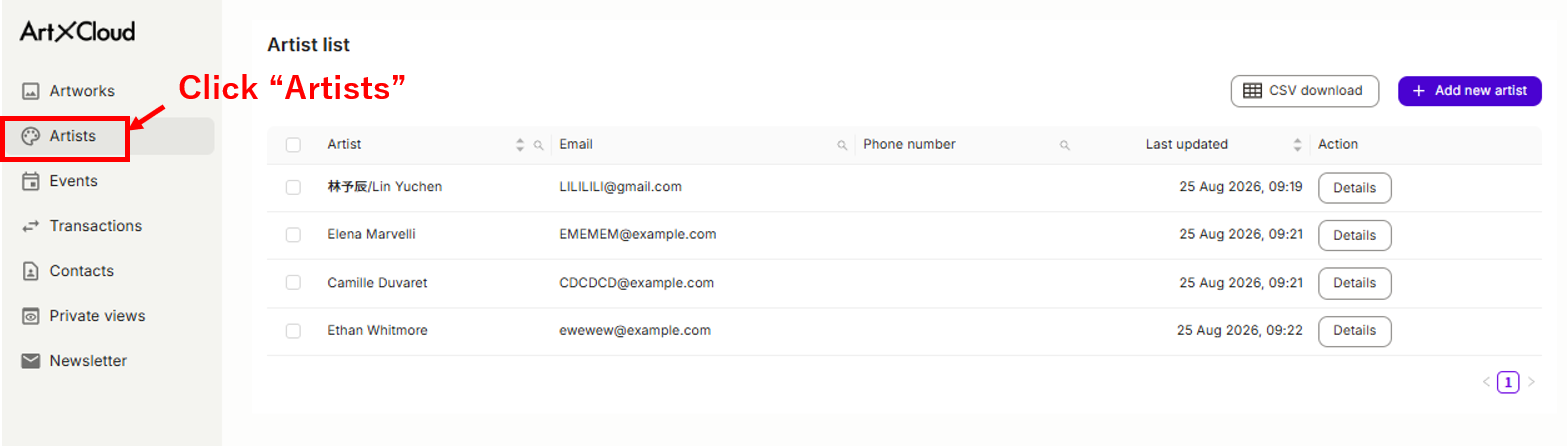
2-2. Add an Artist
Click “Add new artist” at the top right.
2-3. Enter the Artist information
-
Enter the required information on the registration screen.
Fields marked with an asterisk (*) are required.
- You can also add Custom Properties as needed.
2-4. Complete the registration
-
Click “Add.”
- The registration is complete when the information appears in the Artist List.
3. Notes and Frequently Asked Questions
- You can edit or delete the information after registration.
- If multiple Artists have the same name, enter additional information, such as place of origin, to avoid registering the wrong Artist.
4. Result
- The new Artist is added to the Artist List.
- You can select the Artist when registering Artworks or Transactions.
5. Contact and Support
-
If you have any questions about the procedure, contact us below.
Comments
0 comments
Please sign in to leave a comment.